
QR Codes for Google Reviews: The Simple Way to Get More Customer Feedback
Getting customers to leave reviews has never been easy. Even satisfied customers forget or get distracted before they can share their feedback. However, QR codes for Google Reviews remove this problem entirely. They offer a fast and simple way for customers to write a review while the experience is still fresh. Because of this, more businesses are now using them to boost their online reputation and build trust.
In this guide, you’ll learn how QR codes for Google Reviews work, why they matter, and how you can start using them today. You’ll also see smart places to display them and the mistakes you should avoid. By the end, you’ll know exactly how to turn more happy customers into real Google reviews.
Why Google Reviews Matter More Than Ever
Google reviews carry huge value for any business. They shape first impressions, influence search rankings, and build trust long before a customer visits your website or steps into your location. In fact, many people use Google reviews as their first filter when choosing where to go.
Higher review counts help your business show up more often in local results. Meanwhile, strong ratings improve click-through rates. Both outcomes lead to more customers. Because of this, gathering consistent reviews has become essential for long-term growth.
Yet even with all these benefits, most customers will not leave a review unless the process becomes simple. That’s exactly where QR codes for Google Reviews step in.
What QR Codes for Google Reviews Actually Do
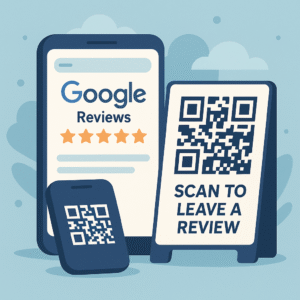
A Google Review QR code is a scannable code that takes customers directly to your Google review form. There’s no searching for your business name, scrolling through results, or navigating to the right page. The moment someone scans the code, they see the review screen ready to use.
This single shortcut removes nearly all friction. Customers do not need to remember anything. They do not need to type anything. They simply scan and write their review. As a result, you get more reviews with less effort.
Even better, QR codes can be placed almost anywhere. That alone opens up many opportunities to gather feedback throughout the customer journey.
How to Create a QR Code for Google Reviews
Creating a Google Review QR code is simple, and it only takes a few minutes. The steps below will help you set up your own.
1. Find Your Google Review Link
First, you need the exact link to your Google Business Profile review form. To get this:
-
Open Google Maps.
-
Search for your business.
-
Click Write a Review.
-
Copy the URL that appears.
You can also find it inside your Google Business Profile dashboard under the “Get More Reviews” section.
2. Use a QR Code Generator
Next, paste your review link into a QR code generator. Many free tools exist online. Once you paste your link, the generator will create your code instantly. Although free tools work fine, paid tools often offer branding, tracking, and analytics. Those extra features help you see how often your QR code gets scanned.
3. Download the QR Code
After generating the code, download it in a high-resolution format. PNG or SVG files are best because they remain sharp at any size.
4. Test Before Printing
Finally, scan the code yourself to confirm it goes to the correct review page. Testing prevents any mistakes that could confuse customers and reduce responses.
Best Places to Use QR Codes for Google Reviews
Once your QR code is ready, you can use it in many different places. Because QR codes work instantly, adding them to your key customer touchpoints can boost reviews quickly.
1. On Customer Receipts
Customers often look at receipts after paying. Adding a QR code here encourages them to leave a review within seconds. This works well for restaurants, small shops, and service businesses.
2. At Your Front Desk or Counter
A well-placed sign near your checkout counter can remind customers to share feedback before they leave. Many businesses use small tabletop displays because they’re easy to notice.
3. On Tables or Menus
Restaurants often see great results by placing QR codes on table tents or menus. Customers can scan while waiting for their food or after finishing a meal, which naturally increases review volume.
4. On Packaging or Takeaway Bags
If your business offers takeaway items, adding QR codes to packaging can reach customers who enjoy your product later at home. This works especially well for food and retail brands.
5. On Business Cards or Flyers
Printed marketing materials last much longer than digital messages. Adding a QR code to a card or flyer allows customers to scan the moment the thought pops into their head.
6. After-Service Follow-Ups
Although QR codes are printed, you can still include them in emails. Adding the QR code image to your follow-up message helps customers review you on any device.
These placements help customers leave feedback quickly without hunting for your business online. They also allow you to collect reviews throughout the customer experience.
How to Encourage More Customers to Scan Your QR Code
Having a QR code is not enough on its own. You need a simple message that encourages customers to take action. Fortunately, a friendly request works better than anything else.
You can say things like:
-
“Enjoyed your experience? Scan here to leave a quick Google review.”
-
“Your feedback helps us improve. Scan to share your thoughts.”
-
“We’d love to hear from you. Scan to leave a Google review.”
Short, positive reminders work best. They give customers permission without putting pressure on them. Because the QR code removes friction, even a small nudge can lead to a meaningful increase in reviews.
Common Mistakes to Avoid With Review QR Codes
Although QR codes are simple, a few mistakes can reduce their effectiveness.
1. Making the QR Code Too Small
If the QR code is tiny, customers may struggle to scan it. Always use a size that stays easy to read at arm’s length.
2. Not Testing the Link
If your QR code leads to the wrong place, customers will give up. Test before printing and test again after placing it.
3. Hiding the QR Code
If customers cannot see your code, they will not use it. Place it where they pause or where they naturally look.
4. Sounding Too Pushy
Customers respond better to friendly requests. Avoid demanding language or offering incentives, as that goes against Google’s policies.
Avoiding these mistakes will help your QR code generate consistent results over time.
Why QR Codes for Google Reviews Are So Effective
QR codes reduce the typical friction customers face when leaving feedback. This matters because review generation depends on ease, timing, and convenience. When customers scan a code, they see the exact review screen instantly. As a result, they’re far more likely to complete the process.
Additionally, QR codes work anywhere. They can be printed, displayed, shared, or added to anything your customers interact with. Because of this, they help you gather more reviews passively, without repeating the same request every day.
When used well, QR codes become one of the simplest tools to strengthen your online reputation and boost your visibility in local search.
Helpful Resources
-
Google Business Profile Help Center: https://support.google.com/business
-
Free QR Code Generator: https://www.qr-code-generator.com/