
Google Review QR Code: A Simple Guide for Restaurants
Google reviews influence how customers choose where to eat, and diners compare ratings before deciding. Additionally, they look at recent comments and search for real experiences from other guests. Because of this, restaurants with steady review activity attract more customers. One of the easiest ways to increase feedback is by using a Google review QR code.
A Google review QR code takes customers directly to your review page. When they scan the code, the review screen appears instantly. As a result, the entire process becomes quick and convenient. This guide explains how restaurants can use QR codes to gather more reviews consistently and naturally.
What Is a Google Review QR Code?
A Google review QR code is a scannable image that leads diners straight to your Google review form. Normally, customers would need to search for your restaurant and scroll before finding the review section. However, with a QR code, they simply scan and start typing.
This removes several steps. Because the process is faster, more customers finish their reviews. Moreover, QR codes make leaving feedback feel simple, especially since diners already use their phones during their visit.
Why QR Codes Work So Well for Restaurants
QR codes fit seamlessly into the dining experience. Customers naturally use their phones at the table. Therefore, asking them to scan a code feels easy and familiar.
Additionally, QR codes:
-
reduce friction for customers
-
save time for your staff
-
increase overall response rates
-
work instantly across all smartphones
-
encourage reviews while the experience is still fresh
Because the process requires almost no effort, diners are more willing to help.
How to Create a Google Review QR Code
You can generate a QR code in two simple ways. Both methods are free, and both take less than a minute.
Method 1: Use Your Google Review Link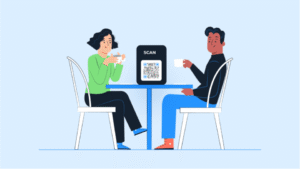
First, you should get your direct review link from Google Business Profile.
-
Open Google Business Profile.
-
Click “Ask for reviews.”
-
Copy the link provided.
After that, paste the link into a free QR code generator. Next, download the QR code file so you can print or display it.
Method 2: Use an Online QR Code Generator
Alternatively, you can create a QR code directly through a QR code website.
You simply:
-
Visit a free QR code generator.
-
Enter your business name or paste your review link.
-
Generate the QR code.
-
Download the file.
Because this method is extremely fast, many restaurant owners choose it.
Where Restaurants Should Place Their QR Codes
Placing your QR code in the right locations makes a big difference. Diners should see it during natural, positive moments throughout their visit.
At the Table
You can place QR codes on:
-
table tents
-
coasters
-
menu inserts
-
small table cards
Customers often have time to scan while waiting for the bill. Therefore, placing QR codes at tables works extremely well.
On the Bill
QR codes also work effectively on:
-
receipts
-
bill wallets
-
takeaway invoices
Because diners always look at the bill, they notice the QR code easily.
On Takeaway Items
You can add QR codes to:
-
bags
-
boxes
-
cups
-
stickers
This allows customers to leave reviews even after leaving the restaurant.
Near the Entrance or Exit
A small sign near the door reminds customers as they leave. Additionally, this works well after a pleasant dining experience.
On Your Website and Social Media
You can also display QR codes:
-
in Instagram stories
-
on Facebook posts
-
on your contact page
This gives customers more ways to review your restaurant, even at home.
How to Ask Diners to Scan Your QR Code
A gentle message works best. Because people respond well to polite requests, you do not need anything long.
For example:
-
“Enjoyed your meal? Scan here to leave a quick review.”
-
“Your feedback helps us improve. Scan to review us.”
-
“If you had a great visit, we’d love your review.”
Because the QR code makes reviewing easy, diners feel comfortable scanning.
Tips to Increase the Number of Reviews
You can improve your results with a few simple habits. These small steps help diners notice your QR code more often.
-
place QR codes in multiple visible areas
-
refresh your signs regularly
-
ask staff to point out the code politely
-
use bright colours to highlight the QR code
-
pair the code with a short thank-you message
-
include your Google review link under the code
Because these additions draw more attention, customers scan more frequently.
Why This Method Helps Restaurants Grow
Google reviews affect how often your restaurant appears in local search results. When you receive more reviews, Google sees your profile as active and trustworthy. As a result, your visibility improves, and more customers discover your business.
A QR code makes it easy for diners to support you. They can scan and review in seconds. Over time, this leads to a steady flow of feedback that strengthens your reputation and increases your ranking.
Helpful Resources
Google Business Profile Help: https://support.google.com/business
Google Review Guidelines: https://support.google.com/contributionpolicy/answer/7400114