
Getting Restaurant Reviews: The Simple Guide to More 5-Star Feedback
Getting restaurant reviews is one of the fastest ways to attract new customers. People often choose where to eat based on ratings, comments, and photos from other diners. Because of this, restaurants with strong, recent review activity usually get more bookings, more walk-ins, and more trust from the local community.
The good news is that getting more reviews doesn’t require pressure, gimmicks, or complicated systems. Instead, it comes from a few simple steps, used consistently. And this guide breaks down exactly how restaurants can get more reviews without annoying customers or putting extra work on the team.
Why Getting Restaurant Reviews Matters So Much
Restaurant customers rely heavily on reviews to make decisions and they compare star ratings, look at recent comments, and check how the restaurant responds. Even a small boost in reviews can increase your visibility because Google rewards active, well-managed profiles. As a result, more people discover your restaurant when searching for food nearby.
Additionally, new reviews make your restaurant appear trustworthy. Diners want to see that real customers enjoy your food, service, and atmosphere. Fresh reviews show that you care about diners and that people are still choosing you.
How to Make It Easy for Customers to Leave Reviews
Customers are more likely to leave a review when the process is simple. When you remove friction, more people take action.
1. Use a Direct Google Review Link
Google gives every business a unique link that opens the review box instantly. When you share this link, customers don’t need to search for your restaurant. Because of this, review numbers increase much more quickly.
2. Add a QR Code to Key Touchpoints
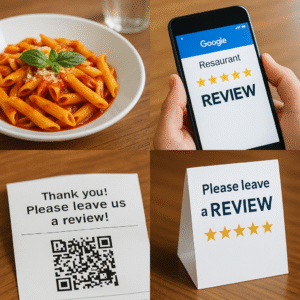
QR codes are one of the easiest ways to start getting restaurant reviews. Customers can scan the code and leave feedback in seconds, so you can place QR codes on:
-
receipts
-
table tents
-
menus
-
takeaway bags
-
the bill folder
Restaurants often see an immediate jump in reviews after adding QR codes.
3. Add Review Requests to Your Follow-Up Messages
If you take bookings online, you can send a post-visit email asking for feedback. When the message is simple and friendly, customers respond well. A single line such as “If you enjoyed your visit, we’d love your review here → [link]” works extremely well.
Train Your Team to Ask at the Right Moment
Getting restaurant reviews becomes easier when your team knows how and when to ask. And the timing makes all the difference.
Ask After Positive Moments
Staff should ask when customers:
-
compliment the food
-
praise the service
-
visit regularly
-
leave smiling
This is when customers are naturally open to helping.
Use a Friendly, Pressure-Free Line
Short, relaxed lines work best. For example:
-
“If you enjoyed everything today, a quick Google review really helps us.”
-
“Glad you liked it! If you want to leave a review, here’s the QR code.”
These phrases sound natural, and because the request feels optional, customers respond better.
Build a Simple System for Getting Reviews Daily
Restaurants see the best results when review gathering becomes part of their routine. And thankfully, you only need a small system to keep it running smoothly.
Have QR Codes Ready
Make sure every staff member can access the QR code, for example this could be on:
-
staff lanyards
-
the point-of-sale screen
-
a card kept inside the bill folder
Include the Review Link Everywhere Guests See
When customers see the link in several places, they’re more likely to take action. You can add it to:
-
confirmation emails
-
loyalty card signups
-
the table-booking page
Track Reviews Weekly
Review activity often increases when restaurants track progress. A simple weekly check helps you identify what’s working so you can improve your system over time.
How to Encourage More 5-Star Reviews Naturally
You should never offer rewards for reviews because Google doesn’t allow incentives. However, you can encourage more high-quality reviews by enhancing the guest experience.
Give Guests Something Memorable
Restaurants that go the extra mile will see the best feedback. For example:
-
greet guests warmly
-
send a bonus treat with the bill
-
check in at the right moments
-
offer quick service
Although small actions seem simple, they often lead to enthusiastic reviews.
Respond Quickly to Reviews
When customers see active replies, they feel valued. Additionally, Google views active management as a quality signal. As a result, your restaurant may appear more often in local searches.
Fix Small Issues Fast
Reviews often highlight patterns. So if diners mention slow service, seating comfort, or wait times, addressing these issues quickly can increase future ratings.
What to Do About Negative Reviews
Negative reviews happen to every restaurant. However, responding well protects your reputation and shows future diners that you care.
Reply Politely and Calmly
A brief and professional reply works best. Something like:
“Thanks for sharing this feedback. We’re sorry to hear about your experience and would love a chance to make things right. Please contact us here.”
Avoid Arguments
People reading reviews care more about your tone than the complaint itself. When you stay calm, diners trust you more.
Learn From Patterns
If several people mention the same issue, it may signal an opportunity to improve and quick improvements often result in better reviews the following week.
How to Use Reviews to Improve Your Restaurant
Reviews don’t just help with marketing, they also give you real insight into what customers value.
Look for Themes
Common themes include:
-
favourite dishes
-
slow moments in service
-
atmosphere comments
-
value for money
When you understand these patterns, you can adjust your menu, improve training, or change the flow of service.
Share Positive Reviews
Some restaurants display their best reviews on social media, email newsletters and signage. When you highlight real feedback, trust increases immediately.
Make Review Management Part of Your Weekly Routine
Getting restaurant reviews consistently is easy when you follow a simple weekly routine.
Here’s a fast system:
-
check new reviews daily
-
respond within 24 hours
-
add QR codes where needed
-
remind your team to ask
-
watch for trends
-
fix issues quickly
This routine will help you maintain a strong online reputation and without overwhelming your team so you can get more reviews on a regular basis.
Helpful Resources
-
Google Business Profile Help Center: https://support.google.com/business
-
Google Review Policies: https://support.google.com/contributionpolicy/answer/7400114
-
QR Code Generator Tool: https://www.qr-code-generator.com/